
What Is AVIF?
AVIF is a modern image format built from the AV1 codec. It is designed to keep images sharp while using much less storage than older formats like JPG and PNG.
If you cannot open an AVIF file in your app or operating system, convert it to PNG or JPG for wider compatibility.
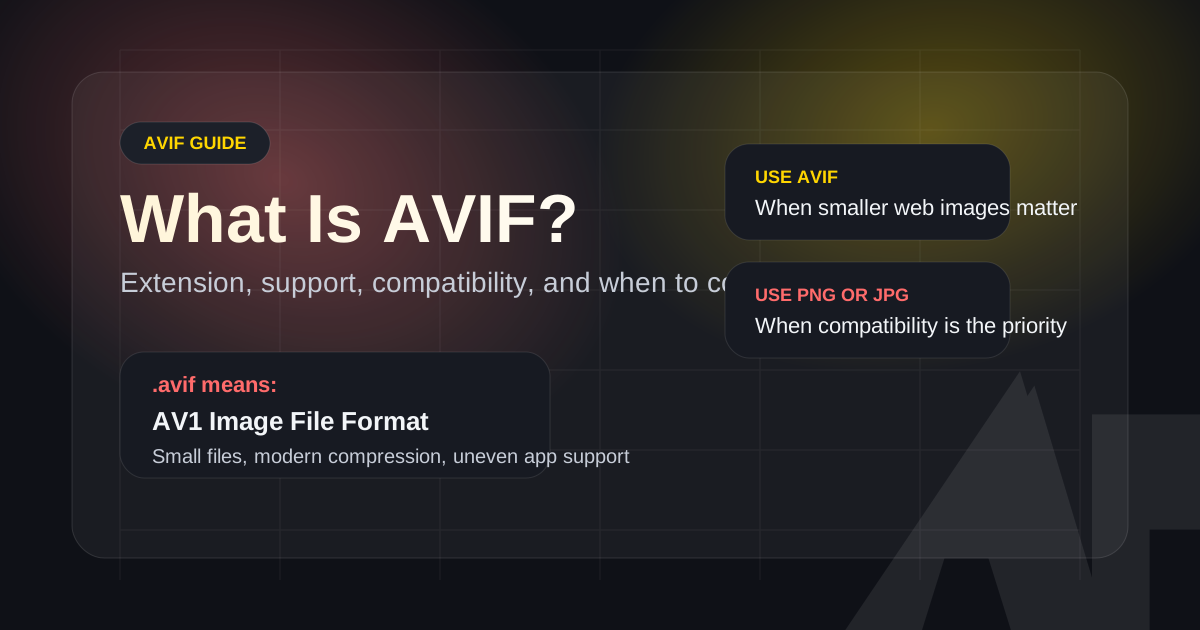
Definition
AVIF is a modern image format for smaller, high-quality web images.
An AVIF file is a still image saved in the AV1 Image File Format. It is commonly used to reduce web image weight while keeping detail, transparency, and modern color features. Convert AVIF to PNG or JPG when the file needs to work in older apps, desktop workflows, CMS uploads, or sharing channels that do not support AVIF reliably.
- File extension
- .avif
- Best use
- Smaller web images and modern browser delivery.
- Common fallback
- PNG for transparency or editing, JPG for broad photo sharing.
AVIF Format Facts
These facts answer the practical questions users ask before deciding whether to keep an AVIF file or convert it.
| Full name | AV1 Image File Format, usually saved with the .avif file extension. |
|---|---|
| Compression goal | Reduce image file size while preserving strong visual quality for modern web delivery. |
| Transparency | AVIF can support transparency. Convert to PNG when you need a transparency-safe fallback. |
| Compatibility risk | Modern browsers support AVIF, but older apps, CMS tools, email clients, and desktop workflows may not. |
| Best fallback choice | Use PNG for lossless editing and graphics. Use JPG for opaque photos and easier sharing. |
Where AVIF Usually Works
AVIF support is strongest in modern browsers and weaker in older desktop or publishing workflows.
Modern Chrome, Edge, Firefox, Safari, and Opera
Current browser versions are generally the safest place to open and convert AVIF files.
Older desktop apps and operating systems
Support can be missing or inconsistent, which is why PNG or JPG fallback files are still useful.
Design and publishing workflows
Many teams still prefer PNG or JPG handoff files because they are easier to preview, annotate, upload, and print.
Strict legacy environments
If an environment cannot decode AVIF at all, convert the file in a modern browser first and use the fallback output.
AVIF Basics at a Glance
These are the core facts most users want to know before deciding whether to keep an AVIF file or convert it.
What the .avif extension means
A file ending in .avif is an AV1 Image File Format image. It stores a still image using technology derived from the AV1 video codec.
Why people use AVIF
AVIF can often keep similar visual quality while producing smaller files than older image formats. That makes it useful for websites, apps, and image-heavy pages.
What AVIF supports
AVIF supports modern image features such as transparency and high color depth. In practice, it is often used as a web delivery format for screenshots, graphics, and photos.
Why AVIF still causes problems
Some older desktop apps, operating systems, CMS tools, and email workflows still do not open AVIF files reliably. That is why many users convert AVIF to PNG or JPG.
Where AVIF works best
AVIF is most useful in modern browsers and performance-focused web projects where reducing image weight matters. It is less convenient when universal compatibility is required.
When to convert AVIF
Convert AVIF to PNG when you need lossless editing or transparency-safe output. Convert AVIF to JPG when you need the broadest compatibility for sharing, upload, or email.
Why Use This Guide Instead of a Generic Definition
This page is designed to answer the practical AVIF questions that usually come right before a conversion decision.
Definition plus real use cases
It explains not only what AVIF is, but also why users run into it in Android screenshots, web assets, and unsupported desktop workflows.
Clear fallback decisions
It tells you when PNG is the better fallback and when JPG is the easier sharing format, instead of stopping at a generic format definition.
Direct path to the tool
The guide connects the explanation to an immediate action, so users can convert the file locally in the browser if compatibility is the real problem.
Frequently Asked Questions About AVIF
Short answers for the most common AVIF questions.
Need to Open or Share an AVIF File Right Now?
Use the free browser-based converter to turn AVIF into a format your device, app, or workflow already supports.
Definition page
AVIF definition summary
- Use when
- Use this page to understand what AVIF is, where it works, and when a PNG or JPG fallback is safer.
- Decision rule
- Keep AVIF for modern browser delivery; convert it when an app, CMS, or desktop workflow cannot decode the file reliably.
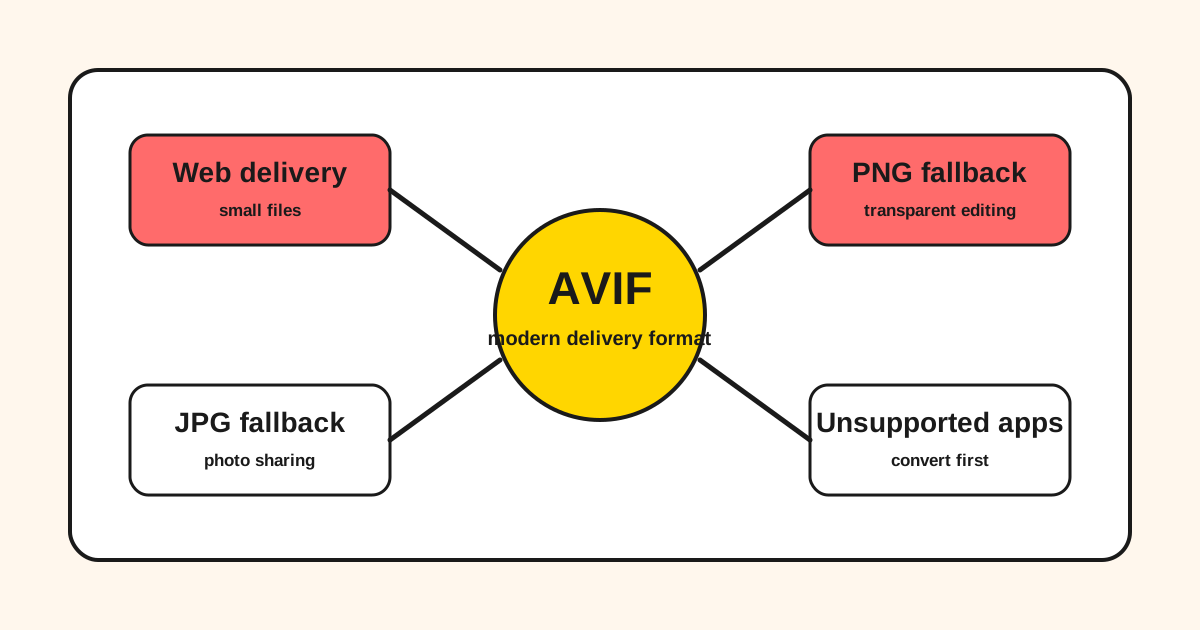
AVIF relationship map
AVIF is strongest as a delivery format; PNG and JPG are still the practical handoff formats for many tools.
Concept relationships
A definition page should not stop at a dictionary answer. It should connect the format to the choices users make next.
| AVIF | Modern compressed image format for web delivery and smaller assets. |
|---|---|
| PNG fallback | Use when transparency, lossless editing, or design handoff matters. |
| JPG fallback | Use when the file is an opaque photo and compatibility matters most. |
Last updated: Apr 21, 2026 · Maintained by AVIF to PNG Editorial Team · v1.0