
Files that need pixel-perfect editing
Keep PNG when the next step is detailed editing, screenshots, diagrams, or other lossless work.
Compress your PNG images to ultra-efficient AVIF format — up to 10x smaller files
Supports batch conversion • Max 50MB per file
Practical details about what this PNG to AVIF converter can handle and when to keep the original PNG.
This PNG to AVIF converter runs in the browser. You can confirm that no image upload happens before using it with private assets.
Open DevTools and keep the Network panel recording before you select a PNG file.
Drop a PNG image, adjust quality if needed, and download the AVIF result from the page.
You should not see the source PNG sent to a remote conversion endpoint or storage service.
AVIF is excellent for web delivery, but converting every PNG is not always the right decision.
Keep PNG when the next step is detailed editing, screenshots, diagrams, or other lossless work.
If you cannot provide PNG or JPG fallback images, AVIF alone may not be safe for older environments.
Use a lossless master format when the file is meant for long-term storage or high-resolution print handoff.
Compress images by up to 10x — entirely in your environment, with full quality control.
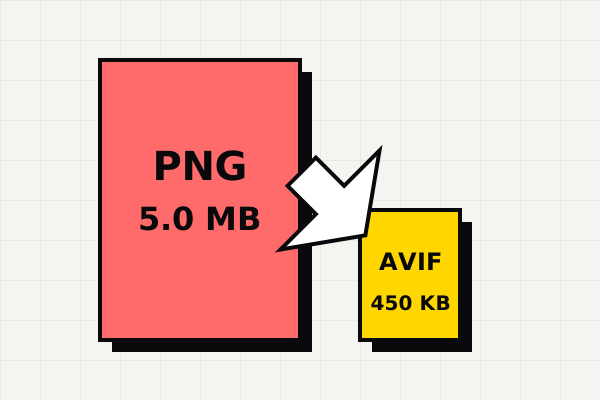
AVIF uses the AV1 codec's advanced compression algorithms to achieve file sizes that are typically 5-10x smaller than the equivalent PNG. A 4MB product photo can become 400KB or less while maintaining near-identical visual quality. This translates directly to faster page loads, lower bandwidth costs, and better Core Web Vitals scores.
Your PNG images are converted to AVIF entirely within your environment using the Canvas API. No files are uploaded to any server, no data is transmitted over the network, and no temporary copies are stored anywhere. The conversion engine runs in JavaScript on your device — even if you disconnect mid-conversion, it will still complete.
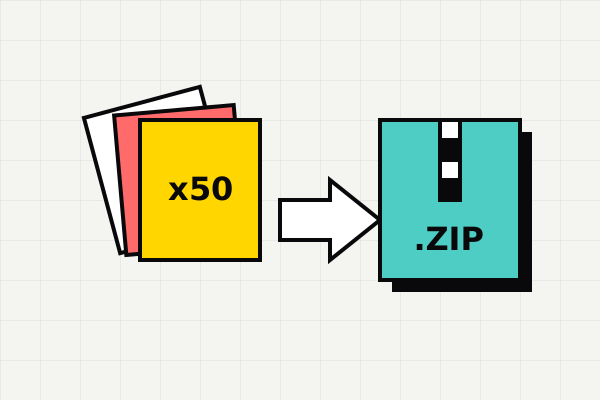
Converting a single image is easy — but what about 50? Drop your entire PNG collection at once. Each file is processed sequentially with a live progress indicator, showing the original size, compressed size, and savings percentage for every result. Grab everything as a single ZIP archive with one click.
The main reason to choose this tool is not just conversion. It is getting web-ready AVIF output with less friction.
If your goal is to reduce page weight, AVIF usually matters because it cuts image size where loading speed and Core Web Vitals matter.
You can tune the tradeoff between file size and quality immediately in the browser instead of uploading, waiting, and re-running exports.
If you already know you want PNG converted into AVIF for delivery, a dedicated converter is usually faster than a general file platform.
Drag and drop your .png files into the converter above, or click to browse your files.
Adjust the quality slider. Lower values mean smaller files. 75-85 is ideal for most images.
Click download for individual files or get all converted images as a single ZIP file.
AVIF is a modern image format designed to keep image quality high while cutting file size dramatically.
AVIF (AV1 Image File Format) represents the cutting edge of image compression technology. Based on the AV1 video codec, AVIF achieves 50% better compression than JPEG and 20% better than WebP at equivalent visual quality. It supports HDR imaging, wide color gamut (10/12-bit), transparency, and even animation. AVIF is now supported by Chrome 85+, Firefox 93+, Edge 89+, and Safari 16.4+, covering over 90% of global environment usage. For web developers and content creators, AVIF means dramatically smaller file sizes without visible quality loss — translating directly to faster page loads and better user experience.
PNG remains the best choice when you need absolute pixel-perfect lossless quality — such as for screenshots, technical diagrams, logos with sharp edges, or images that will undergo further editing. PNG's universal support means every application, environment, and device can display it without issues. However, PNG's lossless compression results in much larger files compared to modern lossy formats like AVIF, making it suboptimal for web delivery where bandwidth and loading speed matter.
Convert PNG to AVIF when you're preparing images for web delivery and want to minimize page weight. Blog post images, product photos, hero banners, and background images are ideal candidates. If the image will only be viewed on screen (not printed at high resolution) and doesn't need to be edited further, AVIF will deliver virtually identical visual quality at a fraction of the file size.
Convert AVIF images back to universally-compatible PNG format
Convert AVIF images to widely-compatible JPEG format
Compress JPEG photos to next-gen AVIF format
Definition guide covering the .avif extension and when to convert
Fix Windows AVIF compatibility issues without installing software
Open and edit AVIF files in Adobe Photoshop without plugins
Last updated: Apr 21, 2026 · Maintained by AVIF to PNG Editorial Team · v1.0