
Maximum legacy compatibility
Keep JPG when the image must open everywhere without picture-element fallbacks.
Compress your JPG photos to ultra-efficient AVIF format — up to 50% smaller files at the same quality
Supports batch conversion • Max 50MB per file
Practical details about JPG to AVIF compression, browser processing, and fallback planning.
This JPG to AVIF converter processes images in your browser, and you can inspect the network traffic yourself.
Open DevTools Network before selecting any JPG or JPEG file.
Drop a JPG, adjust quality, and download the AVIF result from the page.
The source JPG should not be sent to a remote image conversion service.
AVIF is useful for modern delivery, but keeping JPG can still be safer in some workflows.
Keep JPG when the image must open everywhere without picture-element fallbacks.
Avoid repeated lossy-to-lossy conversion when the file will be edited and re-exported many times.
Use a build pipeline, CLI, or image service when conversion must run without a person in the browser.
Compress images by up to 50% — entirely in your environment, with full quality control.
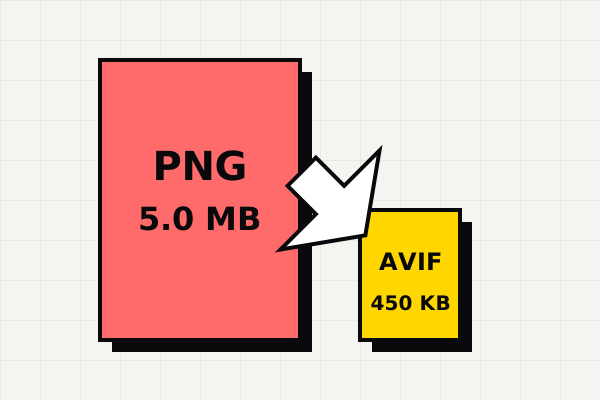
AVIF uses the AV1 codec's advanced compression algorithms to achieve file sizes that are typically 50% smaller than the equivalent JPG. A 2MB photo can become 1MB or less while maintaining identical visual quality. This translates directly to faster page loads, lower bandwidth costs, and better Core Web Vitals scores.
Your JPG images are converted to AVIF entirely within your environment using the Canvas API. No files are uploaded to any server, no data is transmitted over the network, and no temporary copies are stored anywhere. The conversion engine runs in JavaScript on your device — even if you disconnect mid-conversion, it will still complete.
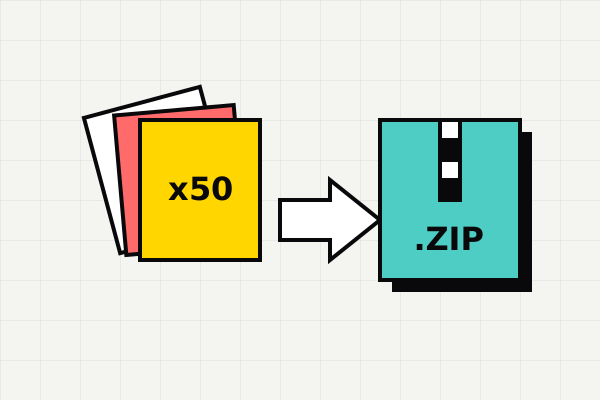
Converting a single photo is easy — but what about an entire album? Drop your entire JPG collection at once. Each file is processed sequentially with a live progress indicator, showing the original size, compressed size, and savings percentage for every result. Grab everything as a single ZIP archive with one click.
This tool is useful when the intent is very specific: keep your images visually strong while making them lighter for modern delivery.
When you already have JPG assets and want a lighter output for the web, this is the shortest direct path into AVIF.
Because conversion happens locally, it is easier to compare quality levels quickly and keep only the size-quality tradeoff you want.
If your goal is specifically to compress JPG into AVIF, a dedicated path is usually more efficient than starting from a broader cloud suite.
Drag and drop your .jpg or .jpeg files into the converter above, or click to browse your files.
Adjust the quality slider. Lower values mean smaller files. 75-85 is ideal for most photos.
Click download for individual files or get all converted images as a single ZIP file.
AVIF is a newer image format built to deliver better compression than JPG without obvious quality loss.
AVIF (AV1 Image File Format) represents the cutting edge of image compression technology. Based on the AV1 video codec, AVIF achieves roughly 50% better compression than JPEG and 20% better than WebP at equivalent visual quality. It supports HDR imaging, wide color gamut (10/12-bit), transparency, and even animation. AVIF is now supported by Chrome 85+, Firefox 93+, Edge 89+, and Safari 16.4+, covering over 90% of global browser usage. For web developers and content creators, AVIF means dramatically smaller file sizes without visible quality loss — translating directly to faster page loads and a better user experience.
JPG (JPEG) remains the most universally supported image format in the world. Created in 1992, it is the default format for almost all digital cameras and smartphones. While its compression algorithm is outdated compared to AVIF, JPG files can be opened by literally any device, operating system, or application. Keep your images in JPG format when you need to send them via email, share them on older messaging apps, or upload them to legacy systems and CMS platforms that haven't yet added support for modern formats like AVIF or WebP.
Convert JPG to AVIF when you are preparing photos or graphics for web delivery and want to minimize page weight. Hero images, product photos, and background images are perfect candidates. By replacing heavy JPGs with AVIFs on your website, you can drastically improve your Core Web Vitals (specifically LCP) and save on bandwidth costs, all without sacrificing visual fidelity for your end users.
Convert AVIF images back to universally-compatible PNG format
Convert AVIF images to widely-compatible JPEG format
Compress PNG images to next-gen AVIF format
Definition guide covering the .avif extension and when to convert
Fix Windows AVIF compatibility issues without installing software
Open and edit AVIF files in Adobe Photoshop without plugins
Last updated: Apr 21, 2026 · Maintained by AVIF to PNG Editorial Team · v1.0