
Batch AVIF to PNG Converter
Batch AVIF to PNG conversion is useful when you have a folder of AVIF screenshots, exports, or web assets that need editable PNG copies. Use the main converter to drop multiple files, process them locally in the browser, and download the results one by one or as a ZIP.
Best for compatibility fixes, design handoff, and local workflows where files should not be uploaded.
When Batch AVIF to PNG Makes Sense
Batch conversion is about reducing repeated work while keeping every source file on your own device.
Convert folders of AVIF files
Drop multiple .avif files in one session instead of opening a separate converter flow for every image.
Download all PNG results as ZIP
After conversion, download individual PNG files or package the full batch into a single ZIP archive.
Keep batch processing local
Files are decoded and converted in the browser. The batch does not need to be uploaded to a cloud queue.
Preserve transparent graphics
PNG is the right batch output when AVIF files include transparency, UI screenshots, icons, or graphics that need editing.
Fix compatibility in older apps
Batch output is useful when a design app, CMS, printer workflow, or operating system cannot reliably open AVIF.
Know the practical limit
The converter accepts up to 50 MB per source file and depends on your browser's AVIF decoding support.
Best Fit for Batch AVIF to PNG
Use this workflow when the goal is narrow: many AVIF inputs, PNG outputs, local processing, and a quick ZIP download.
Private work assets
Good for screenshots, drafts, UI exports, and internal images that should not be sent to a remote conversion queue.
Folder cleanup
Good when a folder of AVIF files needs PNG copies for editing, previewing, archiving, or passing to another team.
Transparency-safe output
Good when the source files may include alpha channels and the fallback format must preserve transparent pixels.
Compatibility handoff
Good when downstream tools, CMS uploaders, printers, or operating systems do not reliably accept AVIF files.
When to Use Another Batch Workflow
A browser batch converter is not a replacement for every automation or production image pipeline.
Use a cloud suite for mixed file types
If the job includes PDFs, videos, documents, and many image formats, a broad file conversion suite may be more convenient.
Use CLI tools for automation
If conversion must run on a schedule, in CI, or across thousands of files, a command-line or server pipeline is safer.
Why Use a Local Batch Converter
A batch AVIF workflow is strongest when the job is narrow: convert many AVIF files to PNG without account setup, upload time, or remote storage.
Best for private image sets
Use local batch conversion for screenshots, work assets, drafts, and internal images you do not want to send to a third-party server.
Best for AVIF to PNG only
If the whole task is converting AVIF into PNG, a focused browser tool is faster than a broad file-conversion suite.
Best for editable output
PNG results are easier to open in design tools, annotate, archive, print, and pass to teams that do not use AVIF.
Batch AVIF to PNG FAQ
Short answers for batch conversion decisions.
Ready to Convert a Batch of AVIF Files?
Use the main local converter to drop your AVIF files and export PNG results without uploading the batch.
Scenario page
Batch workflow summary
- Use when
- Use this page when the real task is converting many AVIF files into PNG copies without repeating the same upload flow.
- Decision rule
- Batch conversion is a fit for folders of screenshots, UI exports, and work assets; use a CLI or pipeline for thousands of files.
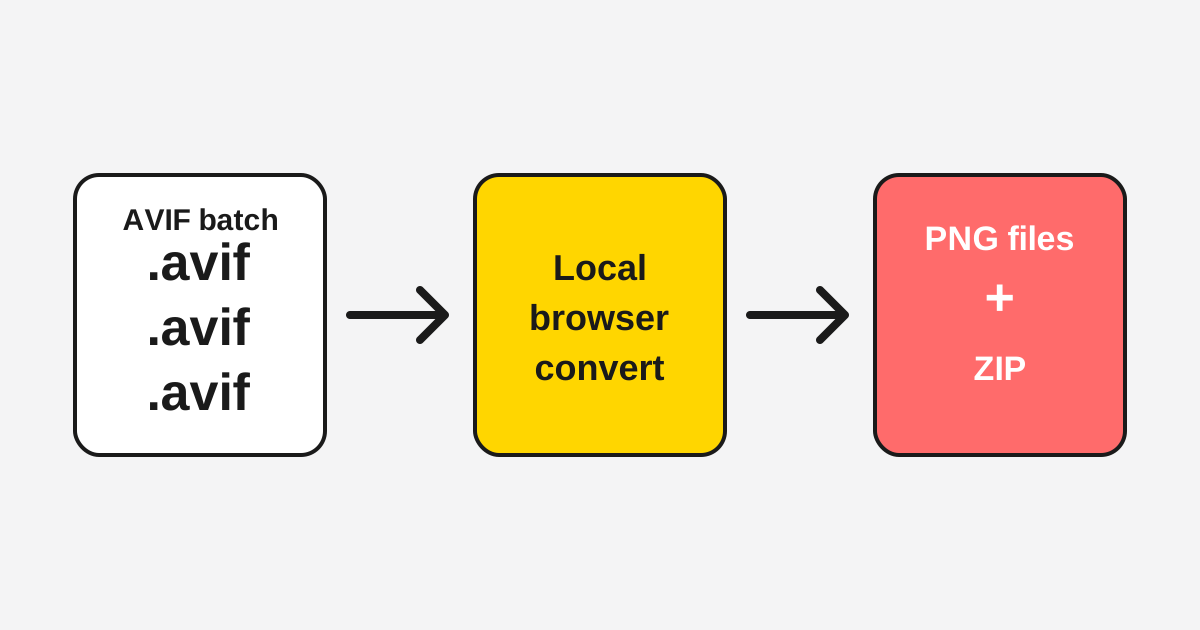
Batch AVIF to PNG workflow
The page is a scenario guide: it explains when browser batch conversion is the right workflow and when another tool is better.
Recommendation criteria
Scenario pages need explicit selection rules, not just a list of features.
| Best fit | Dozens of AVIF files that need PNG copies for editing or handoff. |
|---|---|
| Not best for | Automated jobs, server queues, or huge archives that need repeatable CLI control. |
| Proof point | The converter accepts multiple files and returns individual PNGs or a ZIP. |
Last updated: May 7, 2026 · Maintained by AVIF to PNG Editorial Team · v1.0