
Local AVIF Converter
A local AVIF converter is the right fit when you need to turn AVIF images into PNG or JPG while keeping the workflow on your own device. This page explains when the browser tool fits, how to verify processing behavior, and when desktop tools are the safer choice.
Best for everyday private images, Pixel screenshots, design handoff, and compatibility fixes where AVIF support is uneven.
When This Local AVIF Converter Fits
Use this workflow when the conversion task is narrow, visual, and file-based: AVIF in, PNG or JPG out, with no need for an API or command line.
Best for everyday private images
Use it for screenshots, exports, drafts, and personal photos where you want a simple conversion path before sharing or editing.
Best for compatibility fixes
Choose this route when Windows apps, CMS uploaders, older editors, or messaging tools reject an AVIF file.
Best for PNG fallback output
PNG is the safer target when the source may include transparency, UI graphics, screenshots, or files that need lossless editing.
Best for small batches
Use the main converter for several AVIF files and download individual results or a ZIP when the batch fits browser memory.
Quick Decision Criteria
A local converter is a good match only when the constraints line up. Check these before choosing a tool.
Input is AVIF and output is PNG or JPG
The focused path is strongest when your real task is AVIF compatibility, not broad document or video conversion.
Files are 50 MB or smaller
The converter is designed for normal images and depends on local browser memory for decoding and export.
You need privacy, but not a compliance system
For everyday private files, verify the Network panel. For regulated files, use audited offline tooling.
You need API, CLI, or scheduled automation
Use ImageMagick, libavif, XnConvert, or a cloud API when conversion must run unattended.
How to Verify Local Processing
You can inspect the browser before converting sensitive files. These checks make the trust claim observable instead of vague.
Step 1: Open the converter page
Load AVIF to PNG first so the page scripts and analytics requests finish before you add image files.
Step 2: Open DevTools Network
Clear the Network panel, then drop a small AVIF file and watch whether an image upload request appears.
Step 3: Convert after page load
The conversion should create PNG or JPG output from browser APIs rather than sending the source image to a server.
Step 4: Download the fallback file
Save the PNG or JPG result, then open it in the target app, CMS, editor, or sharing workflow that rejected AVIF.
When Not to Use a Browser-Based Local Converter
Being local in the browser is useful, but it is not the right tool for every sensitive, automated, or high-volume workflow.
Regulated or audited files
If legal policy requires approved offline software, audit logs, or a locked workstation, use a fully controlled desktop workflow.
Huge files or very large folders
Browser memory can become the bottleneck. Desktop batch tools are safer for thousands of files or oversized images.
Mixed-format conversion suites
If the same job includes PDFs, videos, archives, and many image formats, a broad conversion platform may be more efficient.
Advanced encoder control
Use libavif or ImageMagick when you need exact chroma, depth, speed, or encoder flags beyond a simple visual fallback.
Local AVIF Converter Alternatives
The honest answer is not one tool for every job. Pick the workflow that matches your privacy, volume, and automation needs.
Squoosh
Good for visual codec experiments and manual tuning when you want to inspect compression settings before export.
ImageMagick or libavif
Good for scripted local conversion, reproducible pipelines, and exact command-line control.
XnConvert
Good for desktop batch work when you prefer a graphical app and need to process many folders.
CloudConvert or Convertio
Good for cloud workflows, broad file type coverage, or integrations. See /aviftopng-vs-cloudconvert for the tradeoff.
Local AVIF Converter FAQ
Decision-focused answers for choosing a local or browser-based AVIF conversion workflow.
Need a Local AVIF Fallback Now?
Open the main converter, verify the workflow if needed, and create PNG or JPG files for the app that cannot read AVIF.
Scenario page
Local AVIF converter summary
- Use when
- Use this page when the user wants a browser-based AVIF conversion workflow and needs to evaluate privacy, verification, and alternatives.
- Decision rule
- Use AVIF to PNG for quick local fallback files; use desktop or CLI tools for regulated files, automation, or huge batches.
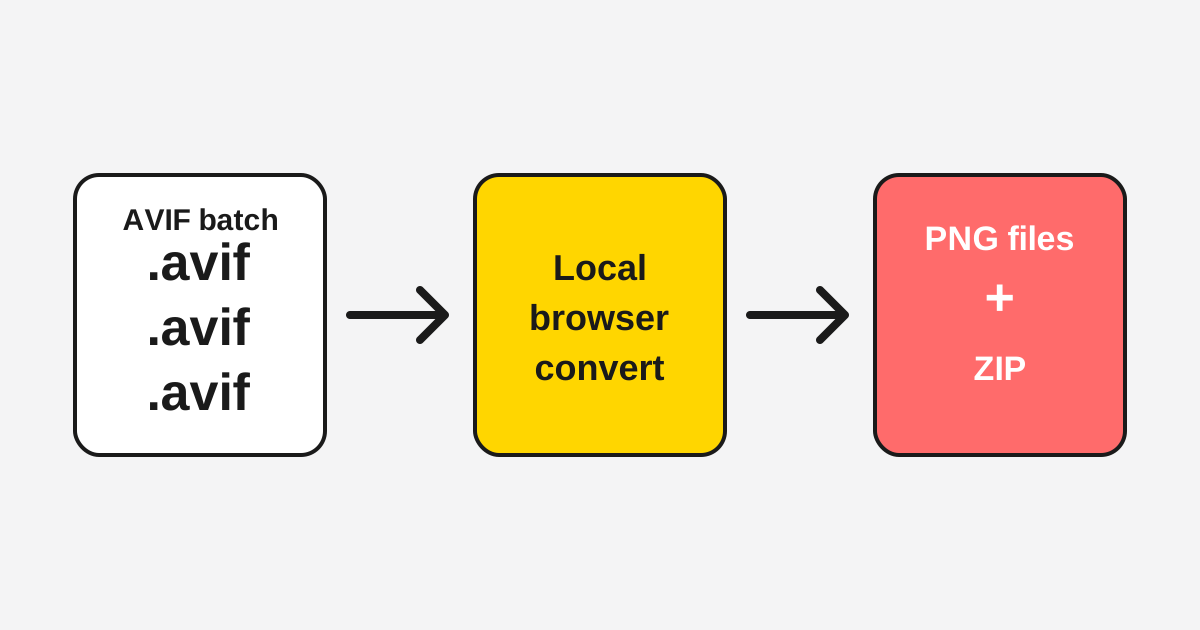
Local AVIF decision flow
A local-converter page should not claim to replace every workflow. It should show when browser conversion fits and when another option is safer.
Privacy and workflow criteria
Scenario pages need explicit criteria so users and AI systems can quote the recommendation accurately.
| Best fit | Everyday private images, screenshots, and small AVIF batches that need PNG or JPG fallback files. |
|---|---|
| Verification | Open DevTools Network after page load and confirm the source image is not sent as an upload. |
| Use alternatives | Choose ImageMagick, libavif, XnConvert, or a cloud API for automation, compliance, or very large folders. |
Last updated: May 11, 2026 · Maintained by AVIF to PNG Editorial Team · v1.0